Your images have a story
PhotoWrite gives them the words to tell it, in more detail, and more accurately than you might imagine…
PhotoWrite reads each photograph: the place, the moment, the detail you didn’t stop to name, and writes the words that tell its story — and sometimes uncovers hidden information you might never have come across. More accurately than any other AI caption system we’ve tested. To a reader. To you, three years from now. Named place, title, caption, description, alt text. Not keywords. Not approximations. The thing the picture is actually of.
No credit card needed — 20 free scans to start with. What that involves.
In your browser on desktop and mobile, before and after
Drop a photograph on the page and it shows you what the file already holds beside what the scan is offering, field by field, before anything is written. Nothing reaches your disk until you say so — and what it saves is a copy. Instant archiving of data, drafts for travelogues, editorials, accessibility for web users with visual impairment using accessibility tools.
- Title
- —
- Caption
- —
- Extended Description
- —
- Alt Text
- —
- Location
- — Straight off the camera, all nine are empty. Anything you have filled in is left exactly as it is.
- Title
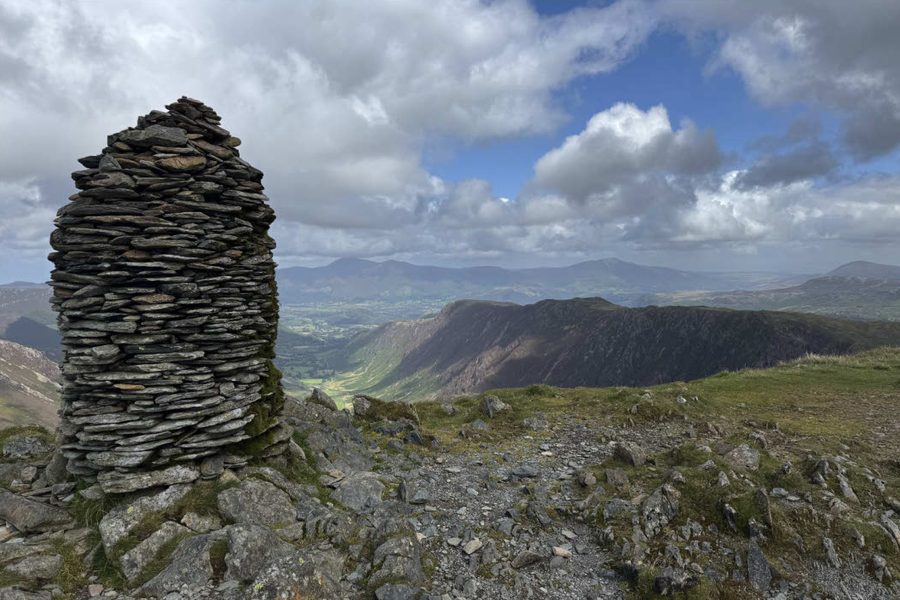
- Summit Cairn on Dale Head
- Caption
- The distinctive beehive-shaped slate cairn marks the 753-metre summit of Dale Head above the Newlands Valley.
- Extended Description
- A tall slate summit cairn stands on the rocky summit of Dale Head overlooking the Newlands Valley in the Lake District. Dale Head reaches an elevation of 753 metres (2,470 ft) and forms the head of the Newlands Horseshoe fell-walking route. The viewpoint opens north toward Skiddaw and Blencathra in the distance across the rolling fells.
- Alt Text
- Tall beehive-shaped stone cairn on a rocky mountain summit overlooking a deep green valley and distant mountains under a blue sky.
- Location
- Dale Head The fell itself, and every one of these can be edited in the page before it is kept.
- Then the rest of the address
- Borrowdale · Cumbria · United Kingdom · GB
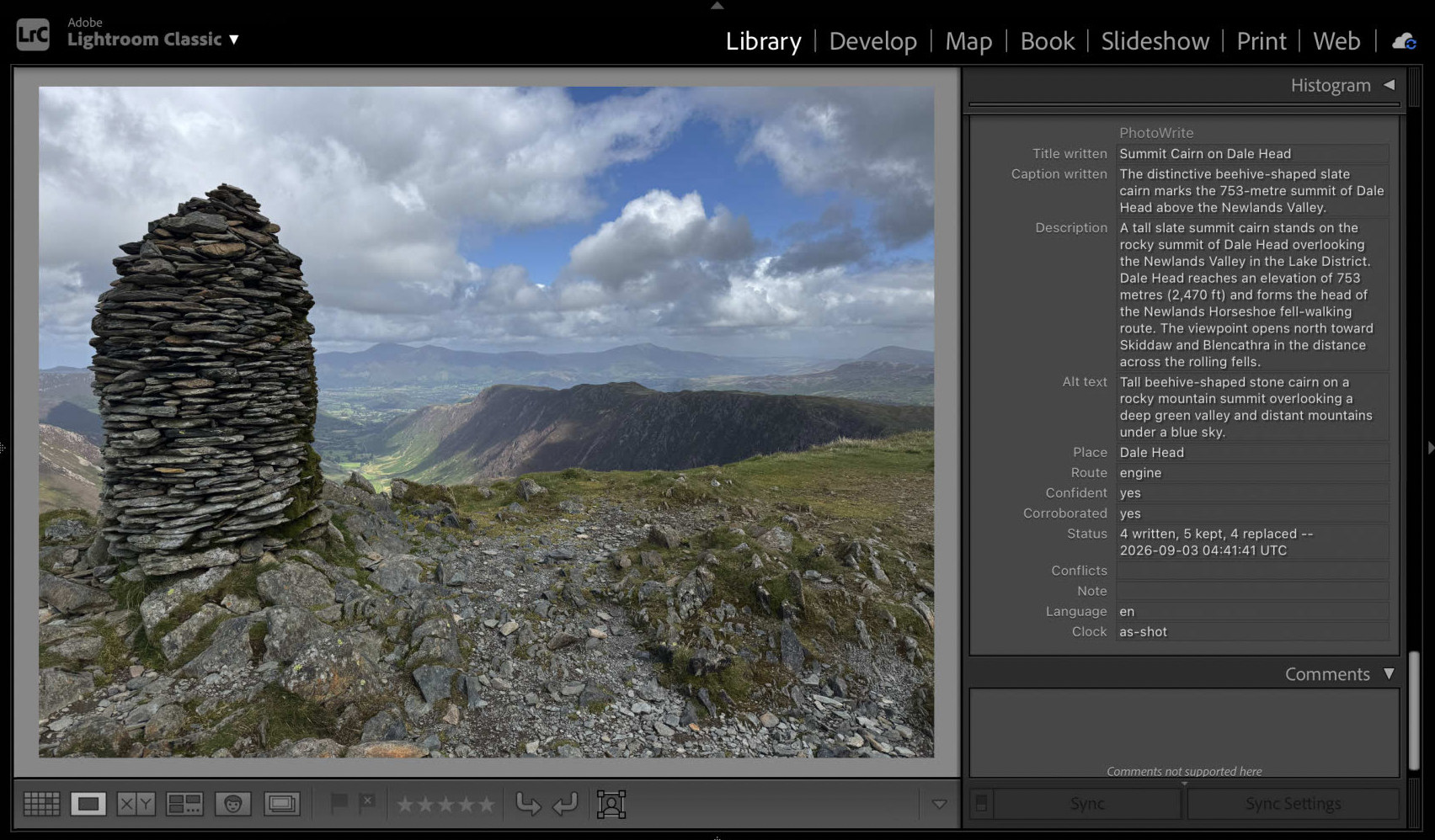
The photograph, the four pieces of writing and the place are from a real run — the same Dale Head frame as the Lightroom capture below. The arrangement, and the four address lines under it, are an illustration of the shape.
What it looks like in Lightroom
One real photograph from a real catalogue, after one run — the words in the panel are what came back, and the fields beside them are the ones Lightroom carries into the file when you export. Everything else on this site marked Example is an illustration of the same shape; this is a capture.
Two ways to run it
One account, one balance of scans, and the same nine fields either way. What differs is where the words end up: the plug-in writes into your catalogue, and the browser hands you copies of your files.
In Lightroom Classic
The plug-in
One command from the File menu, over whatever you have selected. The words go into the catalogue’s own fields — beside your keywords and your ratings, and carried into the file when you export. A second command puts the whole of the last run back if you would rather it had not happened.
It takes the position and the capture time from the catalogue, so GPX-tagged frames and clocks you have already corrected by hand are the ones it reads. It also adds columns of its own to the grid, so a shoot sorts by how it was answered.
In your browser
The web app
Nothing to install, and nothing to join before you look. Drop photographs onto the page and read all nine fields — what each file already holds beside what the scan is offering, every one of them editable before it is written. An account is needed for the scan itself, which is the part that looks at the photograph.
Saving a JPEG or a PNG produces a new copy. A raw’s answer is
written to an .xmp sidecar beside it, merged
— the nine fields are replaced and everything else in it is kept.
Either way the photograph itself is left alone — unless you tick
Overwrite the originals, offered in Chrome and Edge on a computer,
and then only the very file you dropped is written.
Wherever you point it, in your language of choice
The same single look at the photograph, on a snowbound ridge or on a
city street at dusk. What comes back is whatever the picture is actually of. The setting takes a language code — en, fr,
ja — and offers thirty of them, in the plug-in’s settings
and beside the browser’s drop zone alike.
- Location
- —
- Title
- —
- Caption
- —
- Extended Description
- —
- Alt Text
- —
- Then the rest of the address
- Maibara · Shiga Prefecture A municipality. True of every photograph inside it.
- Location
- Ryōzenzan
- Title
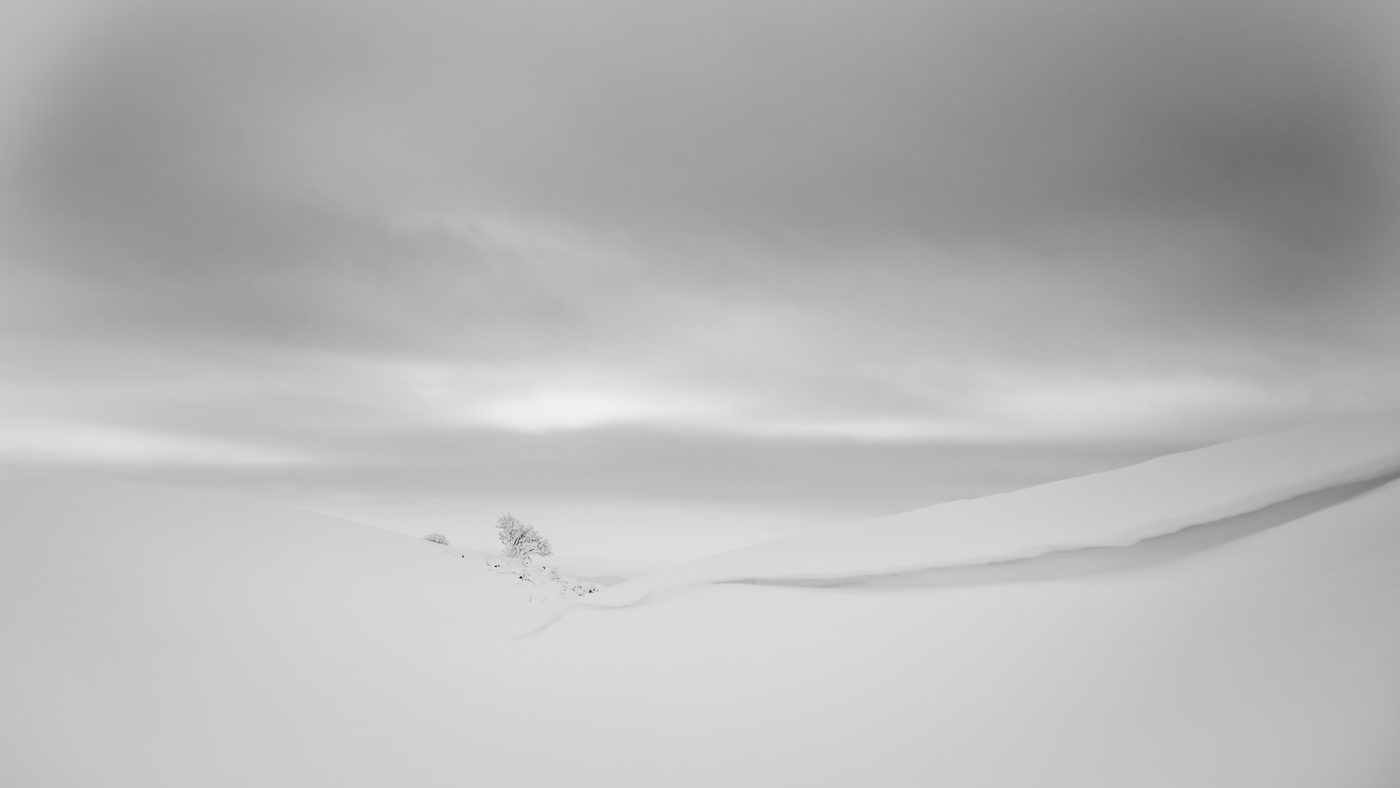
- Winter Snow on Mount Ryozen
- Caption
- A wind-sculpted snow cornice lines the upper ridge of Mount Ryozen in winter.
- Extended Description
- A snow-covered ridge and wind-formed snowdrift curve across the mountain slopes under an overcast winter sky. Mount Ryozen is a prominent limestone massif in the Suzuka Mountains known for its karst plateau and heavy winter snowfall. The mountain attracts hikers along its ridge trails throughout the winter season.
- Alt Text
- Deep snowdrifts form a sharp ridge curve under an overcast grey sky on a mountain slope.
- Then the rest of the address
- Maibara · Shiga Prefecture
- Location
- 霊仙山
- Title
- 雪に覆われた霊仙山の稜線
- Caption
- 冬の霊仙山の稜線に広がる積雪と雪庇の風景。
- Extended Description
- 雪に覆われた霊仙山の登山道沿いの尾根風景を写しています。鈴鹿山脈の北端に位置する霊仙山はカルスト地形の山として知られ、冬季には厳しい積雪と風によって広大な雪原や雪庇が形成されます。曇天の空の下、柔らかな雪の稜線が静かに広がっています。
- Alt Text
- 厚い雪に覆われたなだらかな山の稜線と雪庇が広がり、遠くにわずかに樹木と曇り空が見える冬の景色。
- Then the rest of the address
- 米原市 · 滋賀県 · 日本 · JP
- Location
- Ryōzenzan
- Title
- Nieve en el Ryōzen-ji
- Caption
- Cornisa de nieve y un árbol solitario en las laderas invernales del Ryōzen-ji.
- Extended Description
- Una cornisa de nieve ondulada domina una ladera montañosa completamente cubierta por un manto invernal bajo un cielo nublado. La fotografía fue tomada en los senderos de aproximación a las cotas altas del Ryōzen-ji, un pico kárstico de la cordillera de Suzuka conocido por sus fuertes nevadas y sus paisajes abiertos. En la depresión del terreno asoma un pequeño árbol solitario escarchado por el frío.
- Alt Text
- Paisaje cubierto de abundante nieve blanca con una suave cornisa curvada en primer plano y un árbol escarchado al fondo.
- Then the rest of the address
- 米原市 · Prefectura de Shiga · Japón · JP
One setting, and all nine fields answer to it. The address is not translated by the read — the geocoder renders it — and how far that gets depends on the rung. A country and a region have ISO registers behind them, so Spanish reaches Prefectura de Shiga; a CITY has no register anywhere, so 米原市 stays itself in both. And the mountain keeps its own name throughout, which is what Ryōzenzan was a romanisation of all along. A feature nobody has named in your language reads exactly as it did before, which is the honest answer rather than a gap. One setting governs the whole write, because all nine land in one block of metadata and a caption in one language above an address in another is not an answer anybody asked for.